SELECTED WORK / 2026SBSTEFAN BRKLJAČIĆBELGRADE · 2026
BELGRADE, SERBIA
Drag to rotate · Scroll to zoom · ← → to turn
Full portfolio
Selected work
Real projects. Real problems solved.
01 — WORK
01 / CLIENT WEBSITE
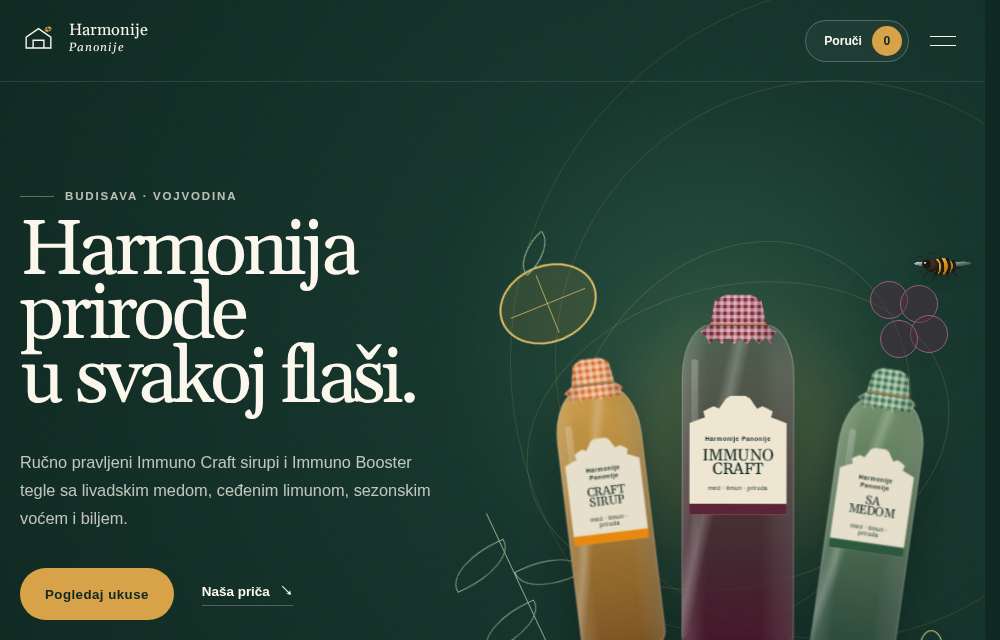
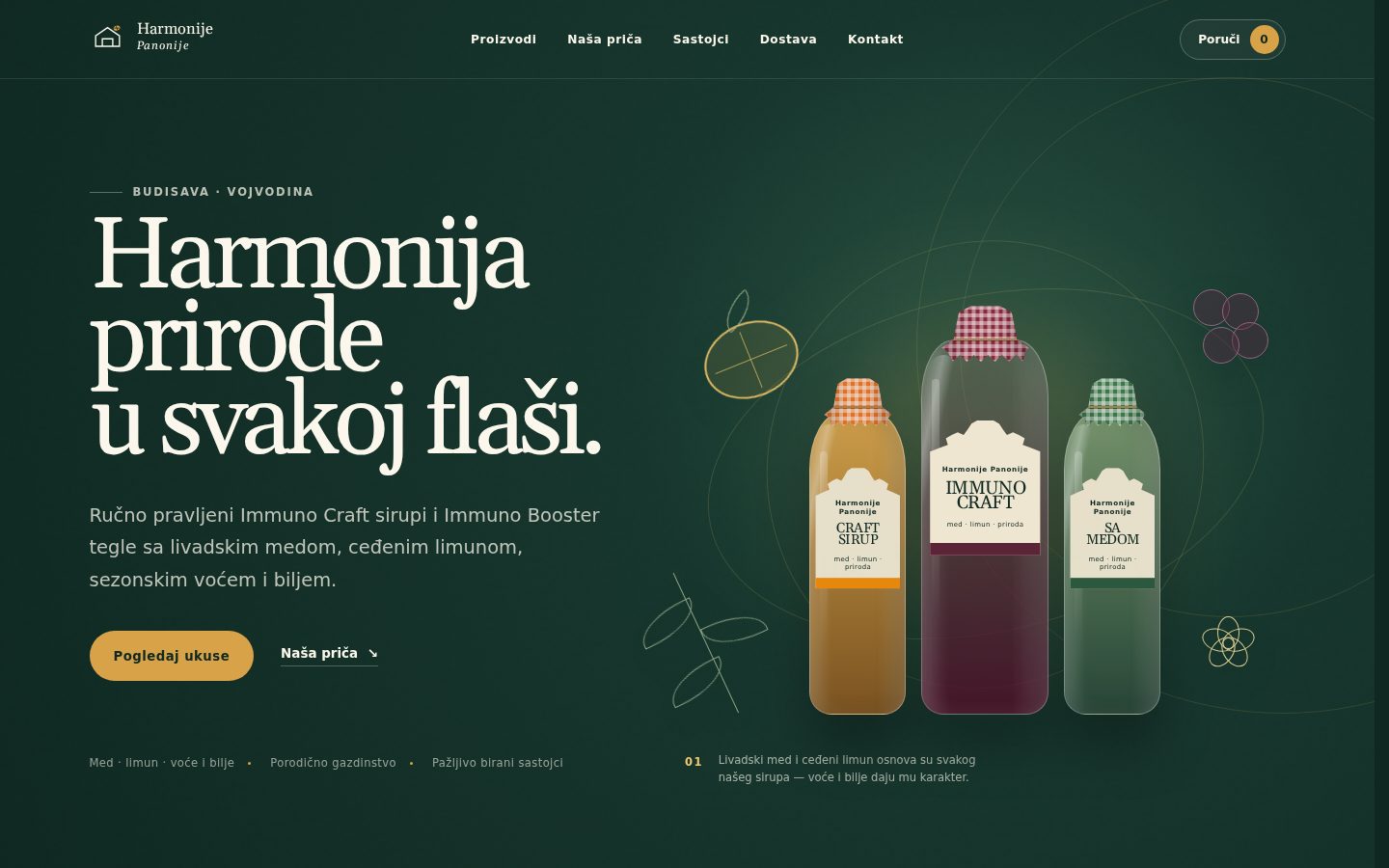
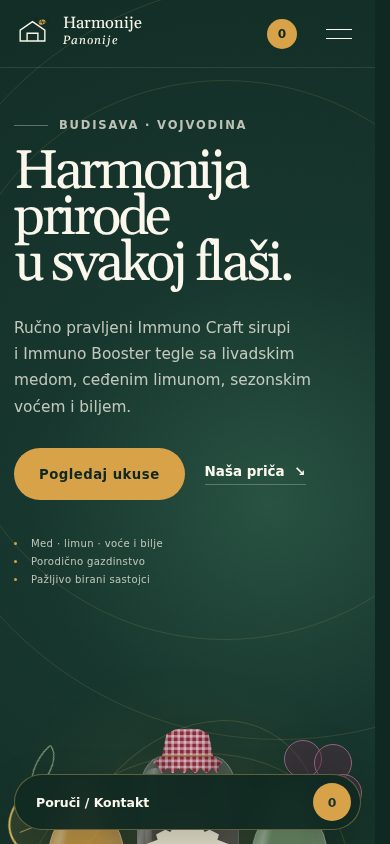
Harmonije Panonije
Client catalogue and inquiry website
A catalogue and inquiry website — search, category discovery, multi-product quantities, custom motion, mobile layouts and a production-oriented QA chain.
Case study — Harmonije Panonije
Problem
Help visitors find products and ask about several items in one inquiry.
Contribution
Design, development and QA
Constraint
The flow is inquiry-based: quantities prepare a request, without payment checkout.
Solution
Search and category discovery lead to product quantities and a pre-filled inquiry; custom motion has dedicated mobile layouts.
Deliverables
Responsive Next.js catalogue, multi-product inquiry flow and a pre-deploy chain with lint, type checks, production build and Playwright behavioral tests.
A responsive club website preview that makes programmes, group schedules, trainer information, calendar links and trial-class inquiries easier to find.
Case study — Gimnastika Kraguj
Problem
Bring club programmes, group schedules, trainer information and trial-class inquiries into one clear experience.
Contribution
Responsive website preview development
Constraint
Client content and scheduling rules evolved during development. This is a public preview, with final official launch unconfirmed.
Solution
Organize programmes, schedules and trainer information with calendar links and a trial-class inquiry path.
Deliverables
Responsive public website preview with programme discovery, scheduling information and trial-class inquiries.
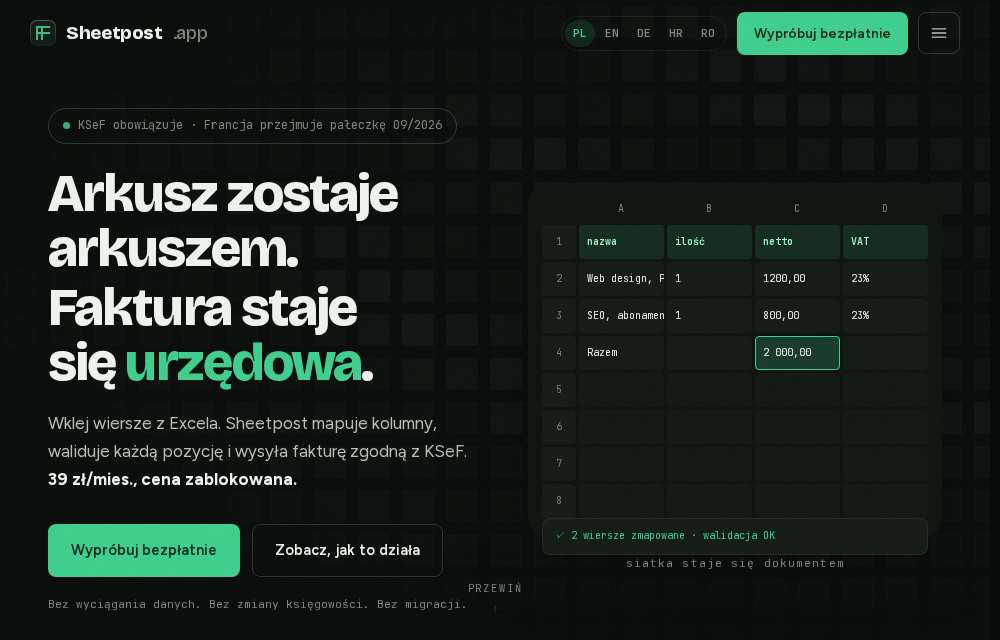
A multilingual spreadsheet/CSV-to-invoice workflow prototype for Poland’s KSeF context — import, column mapping, validation, structured preview and simulated KSeF submission. No live KSeF integration.
Case study — Sheetpost
Problem
Make spreadsheet/CSV-to-invoice steps inspectable for Poland’s KSeF context.
Contribution
Multilingual workflow prototype development
Constraint
Submission is simulated. The prototype has no live KSeF integration and makes no production-compliance claim.
Solution
Import a spreadsheet or CSV, map columns, validate data and inspect a structured invoice preview before simulated submission.
Deliverables
Multilingual, multi-step import, mapping, validation and preview workflow with simulated KSeF submission.
A professional website for your business — structure, responsive design, build and launch, centered on the action you want customers to take: call, order, book.
Custom design & copy structure
Responsive, accessible, SEO-ready
Deployment and agreed review rounds
Contact for pricingScope-dependent · typically 1–2 weeks
A 30-minute call or email — you describe the problem.
↘02
Get a scoped plan
You get a scoped plan and a clear quote based on the project.
↘03
Build, review, ship
I build, you review, we launch — then I stay for fixes.
✓
Before we talk
Quick answers
Tap a question
What do you need from me?+
A short description of your business and goal, plus content (text/photos) if you have it. I can help with everything else.
How long does a website take?+
Timing depends on scope, confirmed content and review availability. A small website may take 1–2 weeks; a prototype may take 2–3. We agree the schedule in the quote.
What if I need changes later?+
Review rounds and post-launch support are agreed in the project scope. I remain available to discuss fixes and additions.
Do you work outside Belgrade?+
Yes — remote, in Serbian or English, across time zones.
How I work
From brief. To launch.
03 — ANATOMY
Define the brief, build the interface, review the result, then deploy. These layers support each step.
Brief → design/build → review → launch. Scroll to see how the layers connect.
Technical notes on the decisions, checks and handoff behind a website or prototype.
01 / BRIEFDefine
Brief
Turn an incomplete request into one concrete user problem, a content map and a clear path to action.
goals → content → user path
02 / ARCHITECTUREStructure
Architecture
Define components, states, content boundaries and the implementation shape before visual complexity begins.
components → states → data
03 / INTERFACECompose
Interface
Build hierarchy, responsive states and tactile UI so the experience remains legible before motion is added.
hierarchy → responsive → interaction
04 / MOTIONChoreograph
Motion
Use scroll, depth and hover only where they explain structure or create a deliberate moment — with reduced-motion and touch-safe fallbacks.
timing → continuity → feedback
05 / VERIFICATIONProve
Verification
Break the interface before users can: responsive review, keyboard/focus behavior, accessibility, lint/type checks, production build and behavioral testing where the project supports it.
responsive → a11y → QA → build
Responsive360–1440px
Keyboard / focusreviewed
Type / lintchecked
Production buildverified
Behavioral QAPlaywright where applicable
Reduced motionfallbacks
06 / SHIPRelease
Ship
Deploy the finished system, observe what real feedback exposes, and refine the parts that matter instead of treating launch as the end.
production → feedback → iteration
●What I optimize for
Digital work that feels intentional, not assembled.
The visible layer matters: hierarchy, rhythm, motion and the exact moment an interface responds. But the work has to survive the invisible layer too — responsive states, keyboard use, production builds and real client revisions.
My workflow is deliberately end-to-end: define the structure, build the interface, break it, test it, deploy it, then refine what real feedback exposes.
●Responsive by default
Every screen, every time.
From 360px phones to wide desktops — the same interface, adapted and reviewed across representative viewport widths before launch.
Harmonije Panonije browser captures from 4 October 2026: 1440×900, 768×1024 and 390×844. These illustrate viewport layouts; device frames do not establish physical-device testing.
05 — ABOUT
Shipped work first. Everything else after.
I build client websites and interactive product experiences in Belgrade while studying Natural Sciences & Mathematics at Ninth Belgrade Gymnasium.
AI accelerates parts of my workflow. Every shipped result is reviewed, tested and owned by me.
The part I care about most is the handoff between taste and engineering: a site should feel considered, but it should also survive real content, smaller screens, keyboard navigation, production builds and revision cycles.
Taste + engineeringReal builds, not mock claimsQA before handoff
Education
Ninth Belgrade Gymnasium “Mihailo Petrović Alas”
Natural Sciences & Mathematics track
2024Started2028Expected graduation
Straight-A studentCurrent student
BaseBelgrade, Serbia / Remote
FocusWeb development · product demos · frontend QA